Website
WhatsApp Chatbots for Bangalore Businesses: What to Automate, What to Keep Human
Your Customers Are Already on WhatsApp
For most Indian customers, WhatsApp isn’t one channel among many. It’s where they already talk to their family, their building’s association and their kid’s school, so it’s where they expect to reach a clinic, a coaching centre or a contractor too. Plenty of Bangalore businesses already run a lot of their enquiries through the WhatsApp Business app on someone’s phone.
That works until it doesn’t. The owner is in a meeting, the receptionist is on leave, and a message sent at 10pm gets its reply the next afternoon, by which time the customer has booked somewhere else. A chatbot is the obvious fix. Whether it helps or annoys people depends almost entirely on what you ask it to do.
Automate the Questions You Answer Every Day
Scroll back through a few weeks of your own WhatsApp chats and the pattern shows up quickly. Most messages are some version of the same handful of questions. Those are what a bot should handle:
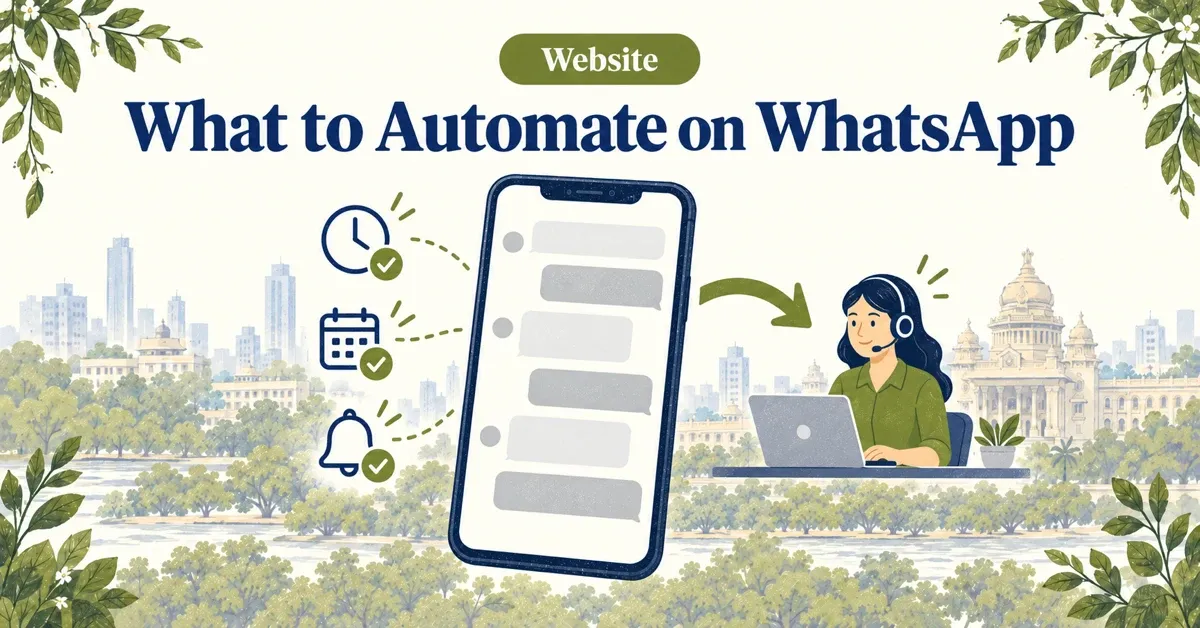
- The repeat questions: timings, location and parking, which services you offer, what to bring, how long things take.
- Capture and booking: name, number, what they need and when, written straight into your calendar or CRM instead of a notebook.
- Status and reminders: appointment confirmations, the day-before reminder, “your order is ready”.
A bot that does only these three things well takes the routine questions off whoever answers the phone, and it replies in seconds at 10pm.
Keep These With a Person
Some conversations go wrong the moment a bot tries to handle them:
- Prices and negotiation. A wrong number from a bot is still a number you quoted. Quote ranges at most, and hand over for anything specific.
- Complaints. An upset customer wants a human. A bot that stalls them turns one bad experience into two.
- Advice. Medical, legal and financial questions belong with a qualified person. The bot can book the consultation; it shouldn’t give the answer.
The hand-off itself matters as much as the split. When a conversation moves to a person, everything the customer has already said should go with it, so nobody is asked to repeat themselves.
The App or the API?
There are two different products, and it’s worth knowing which one you need.
- The WhatsApp Business app is free and runs on a phone. Quick replies, a greeting message and an away message go a long way when one or two people answer every chat.
- The WhatsApp Business Platform (usually called the API) is what a chatbot, a shared team inbox or a CRM integration runs on. You reach it through Meta directly or through a provider, and it comes with Meta’s rules for business messaging.
If your volume fits on one phone, start with the app and use it properly. Move to the platform when chats start getting missed.
Meta’s Rules Shape What a Bot Can Do
Three rules decide how a WhatsApp bot has to be designed. All three come from Meta’s own documentation.
- The 24-hour window. When a customer messages you, a 24-hour customer service window opens. Inside it you can reply freely. Outside it, you can only start a conversation with a pre-approved template message.
- Templates are charged, replies aren’t. Since 1 July 2025, Meta charges per template message, in three categories: marketing, utility and authentication. Ordinary replies inside the window are free, and so are utility templates sent inside it. Rates vary by country and category.
- Opt-in first. People need to have agreed to hear from you on WhatsApp before you send them templates. Build the opt-in into the booking flow rather than adding it later.
The practical effect is that a bot which mostly answers questions customers send costs very little to run. One built around sending marketing templates costs more, and it also risks your number’s quality rating if people start blocking it.
Start Smaller Than You Think
The assistant in the corner of our own website is deliberately simple: a short menu of the topics people actually ask us about, answers we have written ourselves, and a hand-off to WhatsApp with the topic already filled in. It doesn’t quote prices and doesn’t pretend to be a person. For a lot of small businesses that is the right first version, because it’s cheap to run, easy to keep accurate and never makes up an answer.
AI-generated replies are worth adding later, once you can see the questions written answers don’t cover, and only with guardrails that stop the bot inventing prices or making promises. We wrote about where AI chatbots earn their keep on a website in how AI chatbots improve website conversions.
If you’d like a second opinion on what to automate first, that’s the first step of our chatbot and automation work.
Frequently Asked Questions
Is the free WhatsApp Business app enough for a small business?
Often, yes. If one or two people answer every chat, the free app with quick replies, a greeting and an away message covers most needs. A chatbot, a shared team inbox or CRM integration needs the WhatsApp Business Platform (the API) instead.
How much does WhatsApp automation cost to run?
Meta charges per template message (marketing, utility and authentication) since 1 July 2025, at rates that vary by country and category. Replies inside the 24-hour customer service window are free, and so are utility templates sent inside it. A bot that mostly answers incoming questions costs very little to run.
What should a WhatsApp chatbot never handle on its own?
Specific prices and negotiation, complaints, and medical, legal or financial advice. The bot can collect details and book a time; a person should take the conversation from there, with everything already said passed along.
Not sure what to automate first?
We’ll go through your real enquiries with you and tell you which questions a bot should answer — and which it shouldn’t.
Book a Free Consultation →